How do I change my password?
Before you change your password, we want to let you know something:
When your account is first created, a password is automatically generated and sent to you via email. This password will keep on working until you change it. There is an interesting feature of our system that because it was a system-generated password, we can send you an email that reminds you what this password was, should you forget. (We still don't know what it is; it's encrypted, but our system can remind you.)
If you want to change your password, we will no longer be able to remind you what your new password is, but if you forget that one, we can help you change it to a new one.
How to change your password
- Log into your ACRE Consulting e-learning account
- Once you've logged in successfully, select the Profile tab
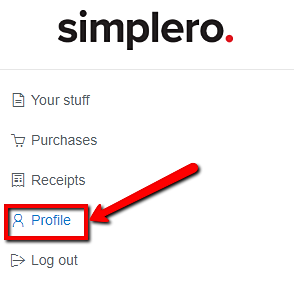
- Select the "Security" tab

- Type in your Current password, your New Password, and repeat the new password
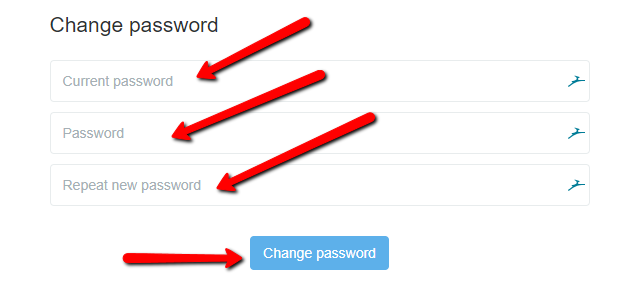
- Click the Change Password button to save
___MESSAGE___
___MESSAGE___